Simon van Luxemburg
LCGoldScrapMod
"Add 50 gold versions of scrap and 20 new store unlockables!"
A mod that adds golden versions of vanilla Lethal Company items, as well as new tools.
This is the mod that introduced me to C#, Unity, and even netcoding, modelling, UV mapping, animating, and sound design. I created more collectable items with the design intent of increased risk-reward, gave some items unique new functionality, and designed all-new buyable items with the intent to create new content that felt natural to the game.

LCGoldScrapMod: adds gold versions of familiar vanilla items, and all-new custom items as buyable unlockables

A document full of Unity/C# tricks I built up through my research
Creation
I didn't know how to code when I started on this project, and used this project to learn C# and Unity.
That's how the project started: I constantly searched and asked for help whenever a problem arose, which taught me the basics well enough to understand methods, parameters, and reading code to find my way to the game's data.
Now, I could go through all items and reference their model as a parameter to create a gold version of it. But if the model couldn't be found, there would be no model to make gold. So I learned Blender too and leaned into my amateur skill level by making the model purposefully bad, or "silly".
These silly versions ended up being a very nice, optional addition to the mod, as it fit with the game's juxtaposed silly-horror reputation.


First, the game will search the vanilla items' MeshFilters for their mesh, and then use those on new items with gold Materials


Created custom 3D models of each of the 50 gold items, to prevent the mod being left without any mesh to fall back on


I added my own custom store to the in-game computer, to add rewards and hints to motivate players to collect the golden items

The first playtests showed that it was nice to collect such valuable items that were so rare, but there wasn't much to do with the money.
Enter: the Gold Store. I created all-new expensive items that would demand serious skill for people to unlock.
Some store items had to introduce new custom functionality. So for this I learned how to work with Unity's Netcode and NetworkBehaviours, to sync everything.
Alongside a scan showing you how many gold items there are, to motivate people to go find them, these incentivized people to actively hunt for the gold items.
Gold Nuggets: a custom item with a random value synced across clients
So all this taught me the basics of game development. And when the mod was feature-complete, I released it and stayed in touch with the game's community to fix bugs, which taught me how to read error messages and locate problems too.
But that was only the beginning... for the "Version 2.0.0" of the mod, I would take lessons learned from my other mods and apply them all to create a ton of new, custom items:

The Golden Glove, an extendable hand that can punch, grab, and stun
Golden Glove
Let's start with the most popular item: the Golden Glove.
An extendable hand that combines all the skills this mod taught me: sound design, netcoding, animation, texturing, coding, and an intended play experience that fit the game.
The initial idea for this item was inspired by extendable-hand toys, and was intended as a serious tool to attack and stun enemies, as well as grab items, from a distance.
But as I was documenting the idea, I noticed it could lead to moments of comedy that Lethal Company is known for, if players tried hitting other players, or tried grabbing items others were trying to grab.

Its design incorporated the three functionalities and tried to think of valid uses for each of them

To try to balance the three states, I would note what each of them could do and what they were good and bad at. In the end, Rock is the most useful, and the most liked function, for its power and simplicity
Technical Details:
I then went into Unity to implement it, and focused on getting the functionality to work.
I used a Unity Coroutine to extend the glove up to a certain distance and then retract back to the box. During the extension, I use Unity's Physics Linecast to check for collision in front of the glove, checking for a LayerMask of features the glove can interact with, that I compile on Awake.
Workflow:
My pipeline for creating such a feature is usually to start coding to get important functionality in place.
I then shortly test it to see if this works and if any major bugs surface. I fix initial bugs and deviations from the design intent, and continue to the next batch of code.
I gradually spend less and less time on new code and more and more on testing all code the closer the feature gets to its design intent.

First 3D model of the glove, complete with 3 hand-models and the box with its custom texture. Only the hand got scaled up afterward
From testing it was pretty clear that killing players could be great fun
Exploring Its Potential:
With this code working correctly, I created a model.
I also started thinking about gloves interacting with other things such as players, doors, and hazards. This would be extra work, but I knew the glove was just begging for all these funny, game-y interactions.
So, I made it a pillar of this item to be reactive to the player's actions: If there's something they can think of, this item should react to that. This made the item very satisfying for players, because their "can I...?" questions are always answered with a "yes you can".
This creates comedy too because not every action has a positive reaction. For example, scissors will deactivate hostile turrets, but rock will make these turrets fire wildly out of control.
Video demo of all the glove what the glove could do
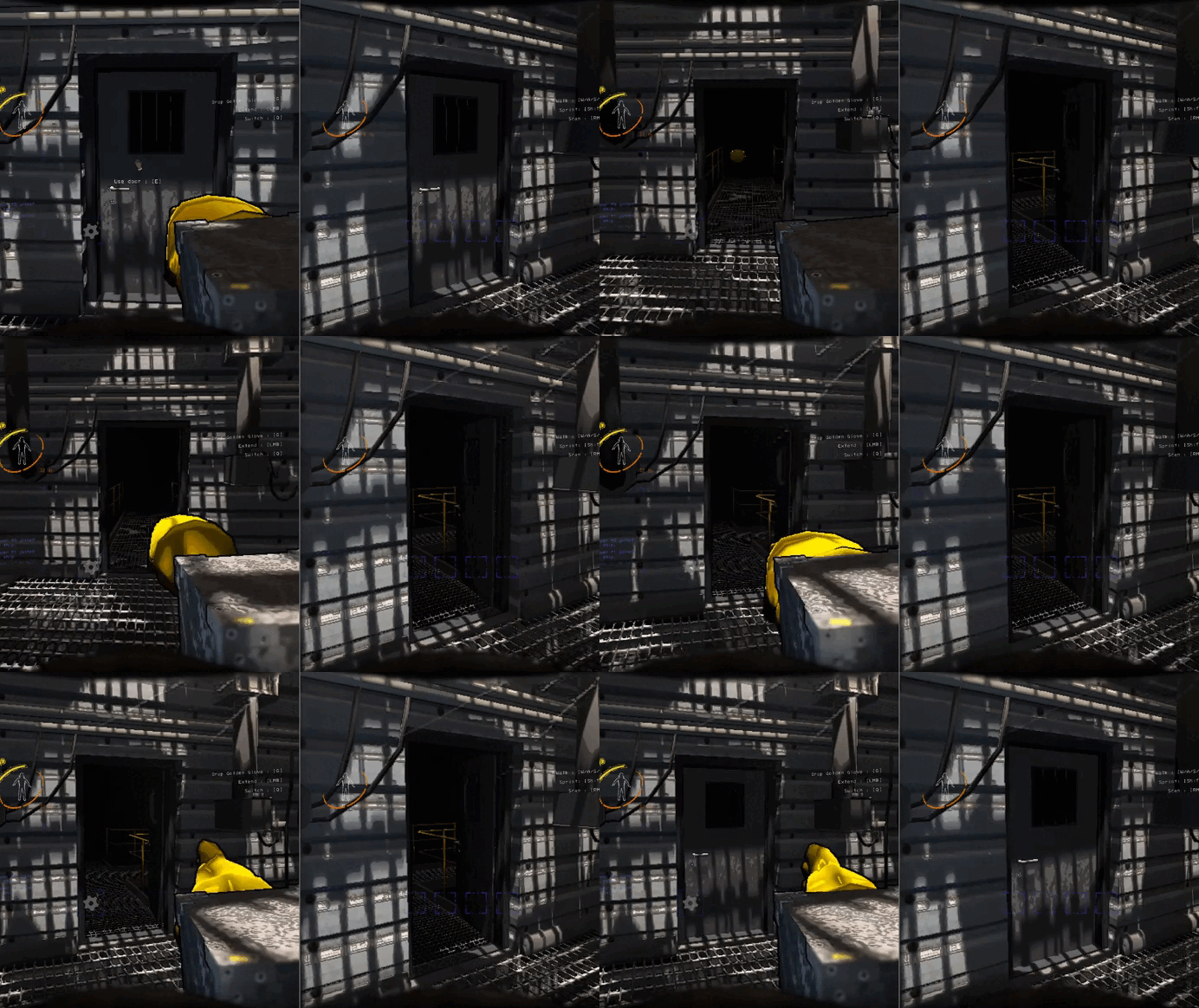
Complex reactions, such as different states reacting to doors, were all synchronized to other players
Finishing Touches:
And because other items I made that taught me Unity's Netcode, I could synchronize all these interactions, which holds up well given how many complicated interactions there are.
I also recorded and edited all-new sound effects by myself, from which I learned about layering, speed changing, and pitch-shifting to make satisfying sounds. And I made the extending tongs that connect the glove to the box with a fairly simple scaling of its Transform.
The only thing left to do was balancing. It was sometimes TOO useful. I made all this easy by making everything editor-tweakable parameters.
Video demo showing off some sound effects I recorded myself
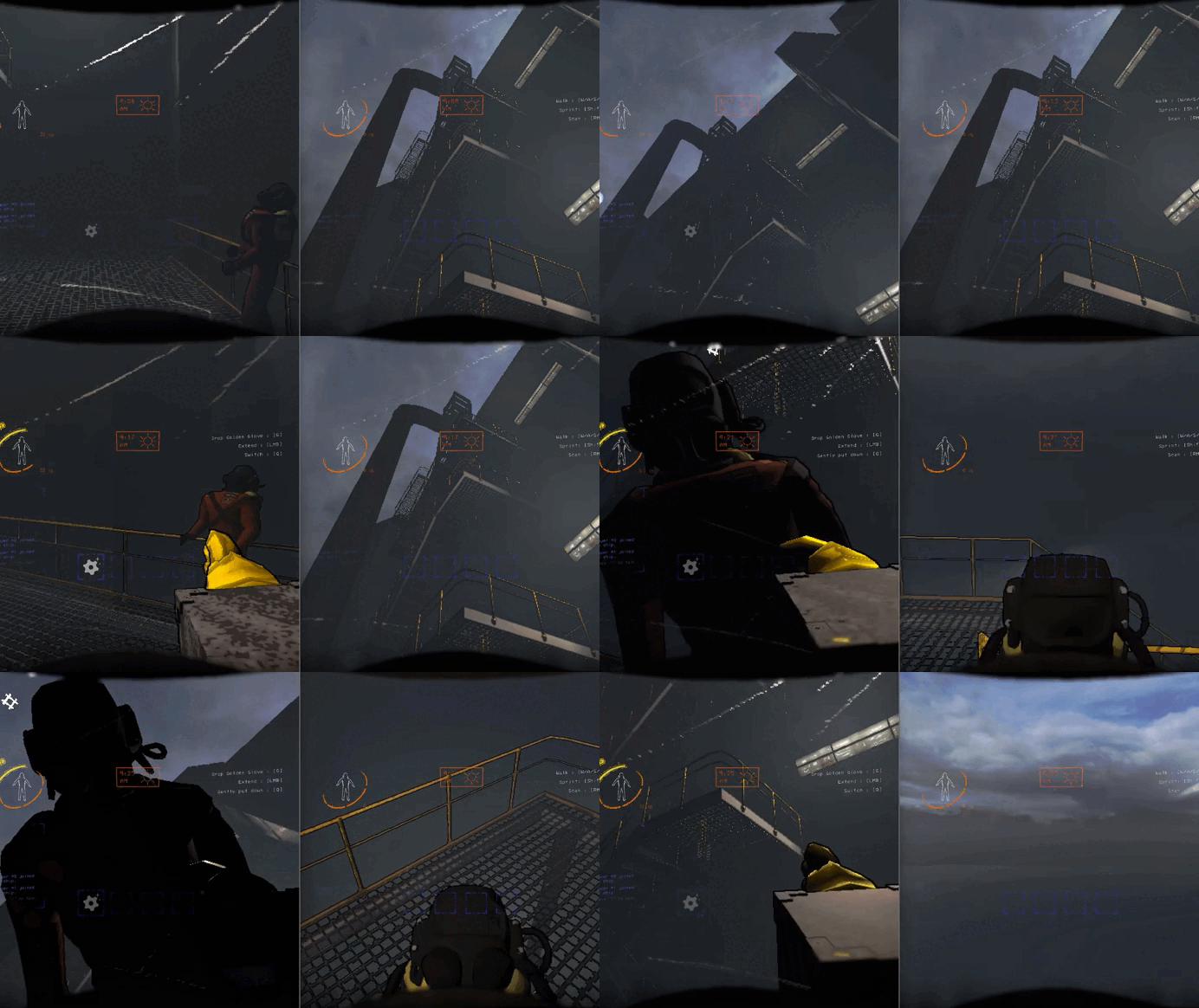
Players can be grabbed and launched, to help them, or for comedy
To make iterations on the glove easier, I did not custom-code any of the glove's speeds or powers, but instead made them all parameters in the Unity editor

And it was an even bigger success than I could have imagined, as all the netcoded interactions hold up very well, and got almost every player who first played with it laughing out loud.
Videos / Clips
Golden Girl
This was the first new item I made. It's the most valuable item in the game, but only one person can see it, who's greatly vulnerable while carrying it.
It's based on an enemy in the base game, so I could base my first new code on the game's established functionality, and design new strategies as an item.

The Golden Girl: an item only one player can see

Documenting Its Concept:
I documented the item's intent, such as player motivation and in-game challenges.
I sketched how players could react on their first and on subsequent encounters, and what strategies could form. And I noted development challenges that could occur.
The initial design intent for this item, laying out why or how it could be interesting if only one player can collect this item
Coding Its Functionality:
Then I got to work. I started with functionality of syncing the player-choosing, which I had the host roll for.
I made variables of all meshes and audio that would need disappearing, so I could easily toggle them on and off.
And then I created a ClientRpc to make the item reappear for everyone as soon as it had been retrieved successfully.

Code of this item appearing and disappearing, setting all its components correctly based on what it needs to do and when
First time me and my (Dutch) friends encountered the girl
And finally, I playtested it with people, who reacted almost perfectly like I had documented.
Given that it was based on a familiar enemy, it clicked quickly for them, and their "aha-moment" (albeit not in English) was priceless.
The Jack-In-The-Gold, another item with a strong design intent
Jack-In-The-Gold
The next item I'm proud of is based on an enemy who's a time-bomb.
Incorporating this limited-time element into an item allowed me to practice more with designing player strategies and netcode-synchronizing code.
Documenting Its Concept:
I documented some possible gameplay elements to link it to, and decided on two-handed items. Two-handed items will pocket all other items and fill the player's hands.
This lead to the idea that this item's time-bomb only counts down while the item is in the player's pockets.


Initial intent for this item, figuring out WHAT it needs to do
I liked this idea, and could envision strategies of teams designating roles so people with this item don't need to pocket it. Or people being mindful to first drop this item and pick up another item before picking this one up again.
These strategies already are in the game, but never encouraged by any of the systems.
Further deliberation on the item, explaining HOW I wanted the player to react to and learn the item's functionality
Playtesting:
And in playtesting, people quickly understood how to deal with this item in conjunction with other items to carry or leave behind, as well as getting a good laugh out of players.

Final consideration, taking into account how players could change their playstyle and other games could affect strategies
Golden Clock
This is a regular item turned gold, and its intention is to quickly lose value until retrieved.
This item is designing to use feedforward to encourage players into specific strategies.

The Golden Clock: a valuable object that decreases in value the longer it goes un-collected
Designing Its Encounters:
The design intent for item is based on how veteran players usually stay inside the dungeon for most of the day while it's safe, and only return to the home base at the very end.
By being of really high value but decreasing over time, finding it creates a memorable moment where players are forced to reconsider their day planning.
It fits into the core loop of limited time while forcing players into a different strategy on the fly.

Once a clock counts down a minute, its value will be set to its current value minus a random amount between 40-70% of its starting value divided by the minutes. This reliably makes it so it's lost 40 to 70% of its value once time is up, and does so over however many random minutes it rolled.
Feedforward:
Additionally, to help people locate it while it's already counting down, the ticking of the clock's AudioSource can softly be heard over a large distance. Attentive players can thus make out that there's a really valuable clock, and use the 3D sound to locate it.
And, as a side effect, its hands are often cast in shadows, hiding how much time is left, fitting the game's comedic lack of control.
Video demo of the Golden Clock in action
Golden Ticket
One small item I made was the Golden Ticket. This item taught me how to texture 3D objects.

The texture for the ticket, and my excitement upon first seeing its uv map properly display the text on front and back

The Golden Ticket: my first-ever attempt at learning how to display textures on 3D models
Learnings And Intent:
It taught me how to UV map models by marking seams, exporting the UV map and then making a texture that displays its text on the front and back.
And the intent of this item was to add risk-reward to the problem of losing items when teleporting.
By carrying one, you can teleport without losing items, but this requires buying one beforehand and sacrificing an item slot when going in.
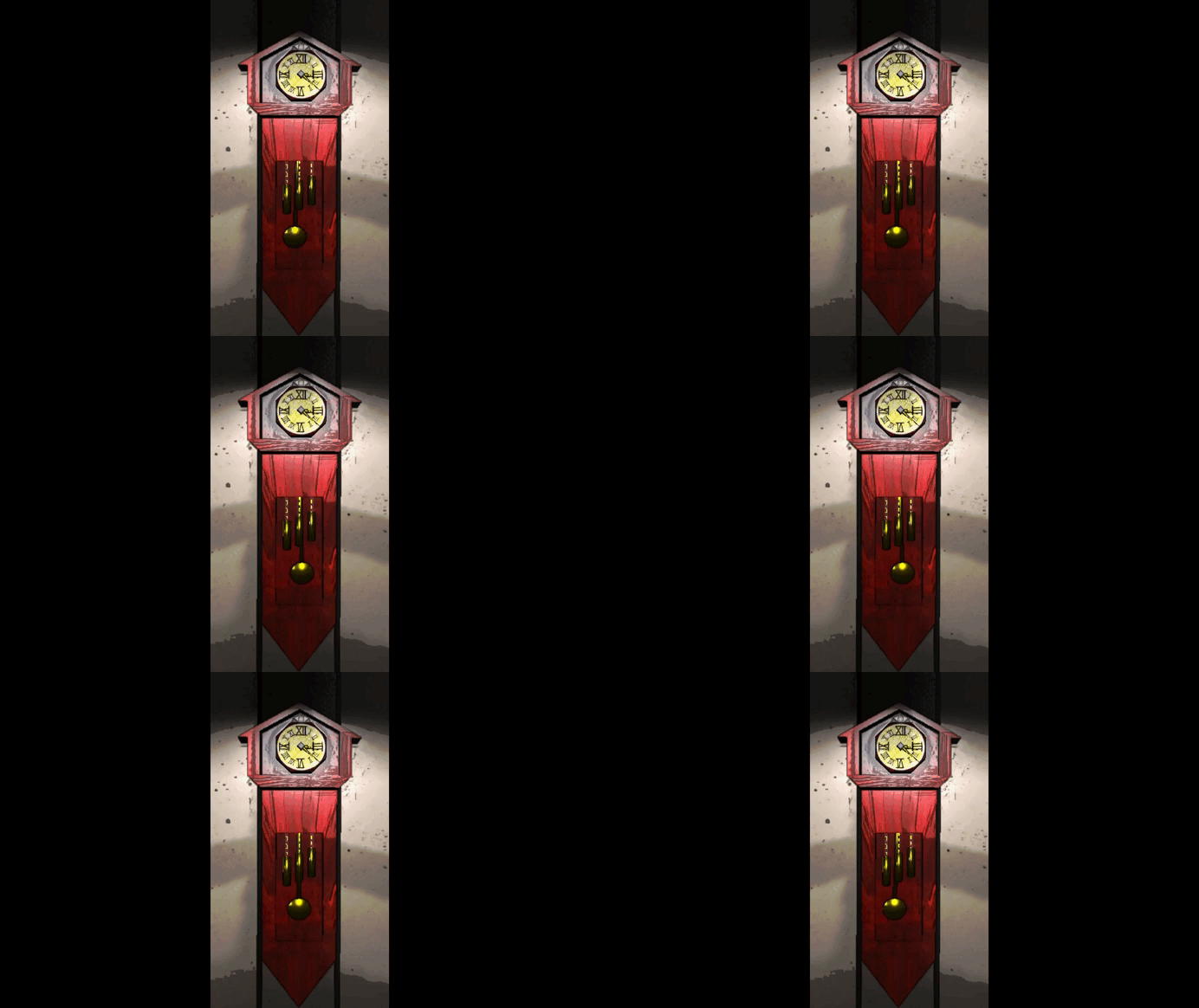
Goldfather Clock
This is an unlockable that I made completely from scratch, not based on something from the main game.
This furniture for the players' home base is just as relaxing as grandfather clocks, and has given me great practice with modelling, UV wrapping, animation, netcode syncing, and even taught me armatures and rigging.
The Goldfather Clock, a relaxing unlockable for the player's ship
Modelling:
The first step I took was to create the mesh of the model. This was good practice to find out how to create a more complex curved object than what I had made before.
Next, I created all its individual components as separate meshes, so I could more easily manipulate each one.

First, I modeled it based on a few existing designs

Next, I UV-mapped and textured the parts that needed detail
Texturing:
Next, I started texturing it. The two things that needed texturing were the clock face and the small lunar clock above it.
I made the two as separate textures, used an asset store wood texture as background, and then UV wrapped it by moving the seams to the locations of the non-wood on the texture.
Rigging:
I also learned how to create an Armature, VertexGroups, and Bones for the bird that would house in the top of the clock.
These are used for when the bird pops out of the clock, and were my first attempt at animating before making LCBeatBoxerMod.

Then, I learned rigging and weight painting for the bird in the clock


Netcoding:
This unlockable also syncs across clients for checking if people are playing deep into the night. The host initiates this check and needs every client's time.
In a clever move, I call a ClientRpc to tell all clients to send a ServerRpc back with their own time. This way, the host has everyone's time in a list, and can now go through it.
After that, I coded the functionality to make the bird appear
Animating:
And finally, I animated it. The hands of the clock are moved simply by rotating their transforms around their origin points.
But for the bird, since the intention is to scare people who are playing way past their bedtime, I felt that not making the animations calm and fluid would fit better.
So, I made it snappy, repetitive, and louder than most other sounds. And I learned how to use AnimationEvents to play the sounds of the bird and the crashing pendulum.
And finally, I added audio and animations, to subvert the relaxing nature of the clock if people are playing far past their bedtime

Gold Crown
As an in-between, I'd like to show the Gold Crown.
It's special because it is a grabbable item that can be worn and, if the player wearing it is killed, will fly into the air and land in a random spot for others to grab.
All of this is synchronized and taught me Unity's (Inverse)TransformPoints and how to work with local and world space.
The Gold Crown, a wearable item people can fight over, but need to look at where it's going to land
Golden Pickaxe (& Golden Glass)
One of the most complicated new mechanics is the Golden Pickaxe. It functions as a weapon, and its special ability is being able to dig up gold nuggets and ores. So, it was intended as a complex new gameplay loop to uncover.
Video demo of a gameplay loop involving the Golden Glass finding Gold Nodes to use a Golden Pickaxe on to get Gold Nuggets and Ores

Netcoding:
This feature taught me a lot more about spawning NetworkBehaviours. The Gold Nodes are distributed locally by the host at random places in the cave, who then spawns them at that location on all clients.
To determine the spawning of the Gold Nodes, each Tile in the DunGen is checked, and a node placed accordingly
Learning Interfaces:
The item revealing the invisible nodes actually reveals much more than just the pickaxe's nodes, as it can show faraway items, enemy spawn points, etc.
For this, I learned how to use interfaces, and made everything that can be revealed implement this IGoldenGlassSecret.

The Golden Glass can reveal more than just Gold Nodes, by using an interface that implements BeginReveal and EndReveal
Checking Collision:
Then, once any player swings the pickaxe, they will check if there is a node right at their Transform's forward. This helped me understand normalized vectors, as well as Unity's Physics system and how to get a hit component's information and components.

The Golden Pickaxe uses Unity's Physics.SphereCastAll to find nodes in front of it to interact with
And finally, if a Gold Node is hit by a pickaxe, there is a chance a Gold Nugget or Gold Ore will be spawned on all players at the swinging player's Transform.forward, which is of course netcoded and synced.
Special Events
Because LCGoldScrapMod had been online for a year, I decided to make an update that would add an anniversary event. For this, I tried to find ways to efficiently add unique play experiences without completely overhauling the rest of the mod.
Video demo of how items change based on special events, for example per date, or by inputting a secret code
Making The Event:
I would check the system's current date on the host and, if it were the mod's birthday, would initiate the anniversary event on all clients.
Because I didn't have much time to make this, I couldn't make many new assets, so I decided to stick to reusing assets and parameters.
For example, I could increase all items' rarity and value, or I could change the material of each item's MeshRenderer, such as turning silver materials to gold too, to make it feel like a gold fever on the mod's birthday.

The event to use is simply an integer determined by the date or code

To make it easy to have items be affected by special dates, each item's data can take an array of integers, corresponding to the event
Unique Events:
Because I had too many ideas for a single day, I spread the ideas out over the course of the year, so there's something unique to see all year long.
On the mod's birthday, all items would turn to gold and be more common and valuable, but on April Fools and Friday the 13th's all items would turn to either silver or bronze and be worth less.
On Halloween and Lethal Company's anniversary, items based on enemies would be more common.
And on Christmas and Valentine's, all gold items get a sparkle particle, to make them easier to find, and leave a pretty trail while running around.
If you would like to enjoy this mod too, you can download it through the Thunderstore Mod Manager, following this link: Link to the page
